
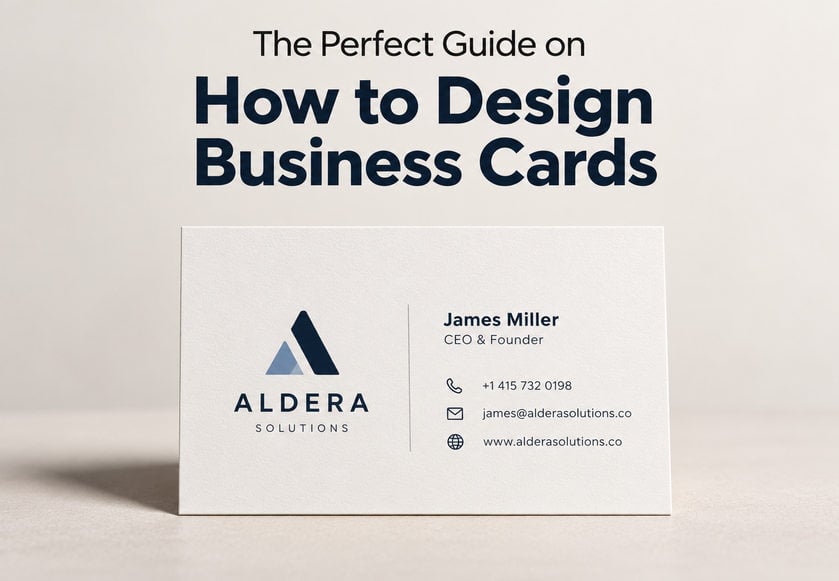
A well-designed business card can say a lot about your business before you’ve even had a proper conversation. It introduces your brand, shares your contact details and gives potential customers something to remember you by.
But designing a business card isn’t just about choosing an attractive background and adding your logo. The size, layout, fonts, colours, paper and print finish all play a part in how professional your card looks and feels.
Whether you’re a small business owner, freelancer or established company, this guide will show you how to design business cards step by step, from planning your layout to preparing the final artwork for printing.
You don’t need to be a professional graphic designer, either. With a little planning and an understanding of the basics, you can create a business card that looks great, reflects your brand and makes it easy for people to get in touch.
A good business card should be attractive, professional and easy to read. More importantly, it should help someone understand who you are, what you do and how to contact you.
The best business card designs usually have a few things in common:
Clear branding: Your logo, brand colours and overall style are instantly recognisable.
Readable contact details: People can find your name, phone number, email address and website without searching.
A balanced layout: There’s enough space between elements to stop the design looking crowded.
Good-quality printing: The paper and finish complement the design and create the right impression.
A clear purpose: Every element serves a reason rather than simply filling empty space.
You don’t need an expensive finish or complicated design to create a memorable card. In fact, a simple layout with carefully chosen colours and typography can often look more professional than one packed with graphics.
The secret is finding the right balance between appearance and practicality.
Ready to create your own business card?
Follow these eight steps to turn your ideas into a professional, print-ready design.
Before opening your design software, think about the type of business card you want to create.
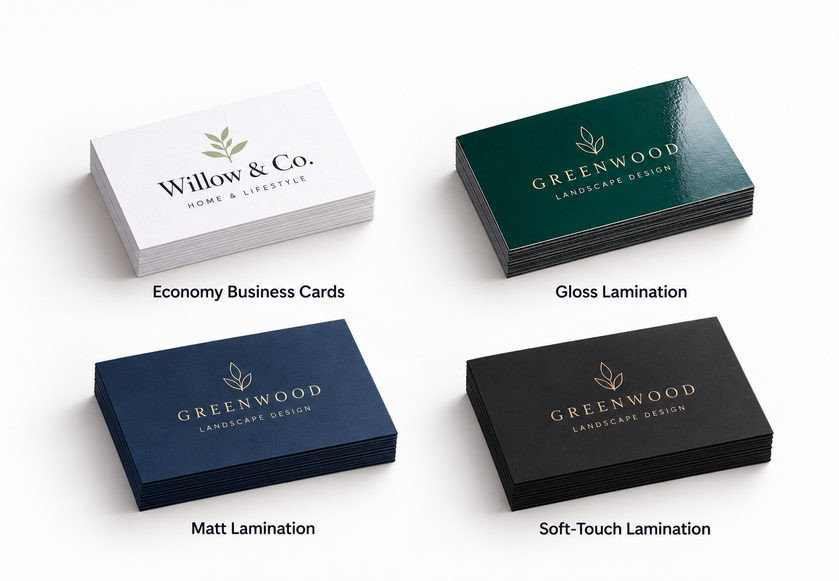
Different paper stocks and finishes can change how your design looks and feels. A glossy card may suit a colourful, modern brand, while an uncoated card can create a more natural, understated appearance.
Some popular options include:
Economy business cards
If you’re starting a new business or working with a limited budget, economy business cards are a practical choice. They’re ideal for everyday networking, promotional events and businesses that need larger quantities without unnecessary extras.
Laminated business cards
For a more substantial finish, laminated business cards are worth considering. Our laminated business cards are printed on 450gsm silk stock, with a choice of gloss, matt or soft-touch lamination.
Each finish has a slightly different effect:
Gloss lamination gives colours a shiny, vibrant appearance and makes the surface more reflective.
Matt lamination creates a smooth, non-reflective finish for a more subtle, professional look.
Soft-touch lamination adds a smooth, velvety feel that’s particularly suited to premium or minimalist designs.
The right option depends on your branding, budget and how you intend to use your cards.
Design tip: If you’re unsure which finish to choose, focus on your design first. A clean, readable layout on standard card stock can still make an excellent impression.
Getting the dimensions right is one of the most important parts of designing a business card.
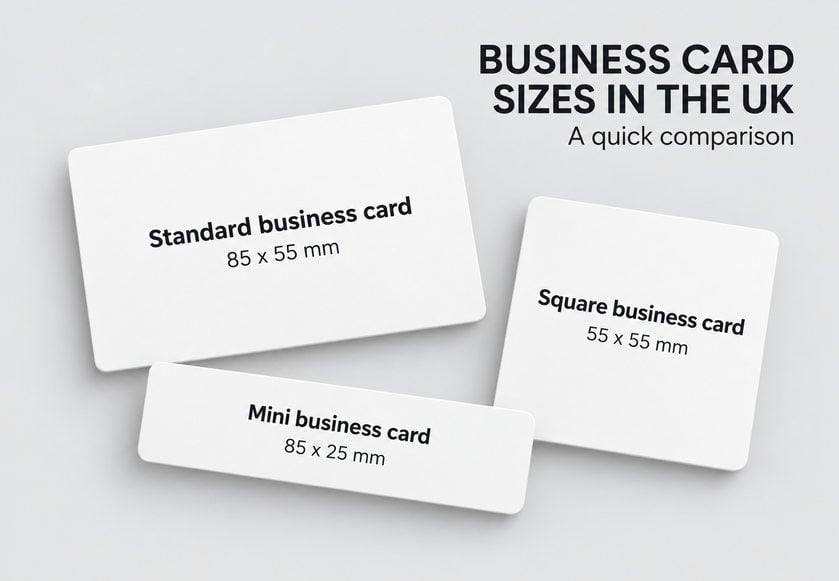
The standard UK business card size is 85mm × 55mm, which is the same format as a typical bank card. It fits conveniently into most wallets, purses and cardholders.
However, standard rectangular cards aren’t your only option.
| Business card type | Finished dimensions | Best suited for |
|---|---|---|
| Standard business cards | 85mm × 55mm | Most businesses and professionals |
| Mini business cards | 85mm × 25mm | Minimalist branding and short messages |
| Square business cards | 55mm × 55mm | Creative brands, boutiques and designers |
Mini business cards work particularly well when you only need to display a logo and a few contact details.
Square business cards offer a different layout that can suit creative businesses, craft makers and independent retailers.
Just remember that unusual shapes and sizes may offer less space for information and might not fit conventional cardholders.
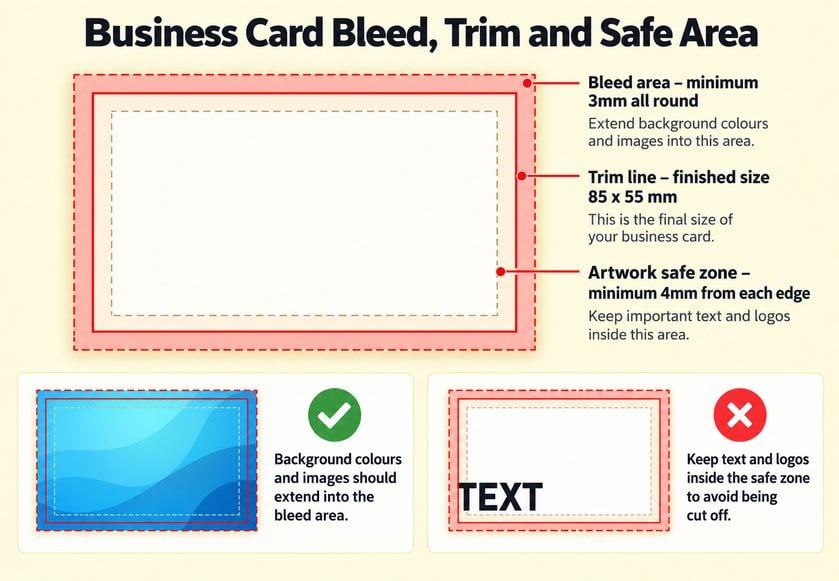
When preparing business card artwork for printing, there are three important areas to understand.
Bleed is the extra artwork that extends beyond the finished edge of your card.
For standard business cards, 3mm bleed is required on every side. This means an 85mm × 55mm card needs an artwork size of 91mm × 61mm.
If your design uses a coloured background or an image that reaches the edge, it must extend into the bleed area. This helps prevent unwanted white edges after trimming.
The trim line shows where your printed business card will be cut to its finished size.
Anything outside this line is intended to be removed during production.
The safe area is the space where important information should sit to avoid being cut off.
Keep your logo, names, phone numbers and other essential details at least 4mm inside the finished edge. It’s also worth avoiding thin decorative borders close to the edge, as small variations during trimming can make them appear uneven.
Quick artwork guide for standard UK business cards:
Finished size: 85mm × 55mm
Artwork size with bleed: 91mm × 61mm
Bleed: 3mm on each side
Safe margin: 4mm inside the finished edge
Print resolution: 300dpi
Colour mode: CMYK
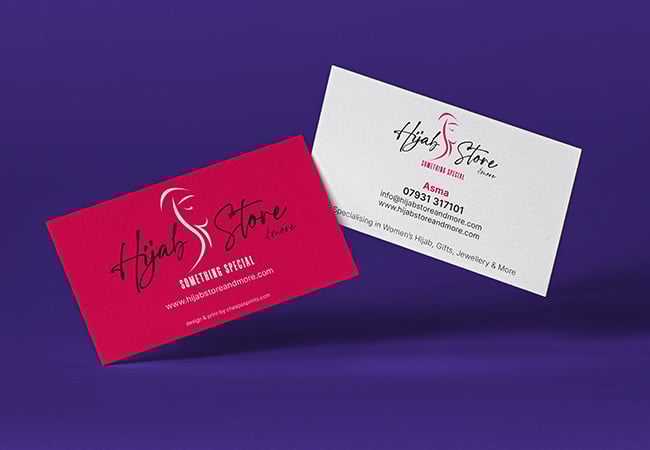
Your business card should look like it belongs to your business.
If you already have a logo, website or other branded materials, use the same colours, fonts and visual style to create a consistent appearance.
Start by positioning your logo somewhere prominent, but don’t feel you have to make it enormous. Your logo should be easy to recognise without overpowering your contact information.
There are several ways to arrange your design.
This is an effective choice for businesses that want a clean, modern look.
One side features the company logo, while the other displays your name, job title and contact information.
A traditional layout works well when you want all your important information visible immediately. You can leave the reverse blank or use it for a tagline, service list or additional branding.
If your logo contains an interesting shape or symbol, you could incorporate a larger, subtle version into the background. Make sure the watermark doesn’t interfere with the readability of your text.
Images can work well for photographers, designers, tradespeople and other businesses where visual examples help explain their services. However, space is limited. A small photograph or background graphic should support your message, not compete with it. Avoid adding multiple unrelated images simply to fill empty areas.
Design tip: Don’t underestimate the value of white space. Leaving some breathing room around your logo and contact details makes your business card easier to read and gives the overall design a cleaner appearance.
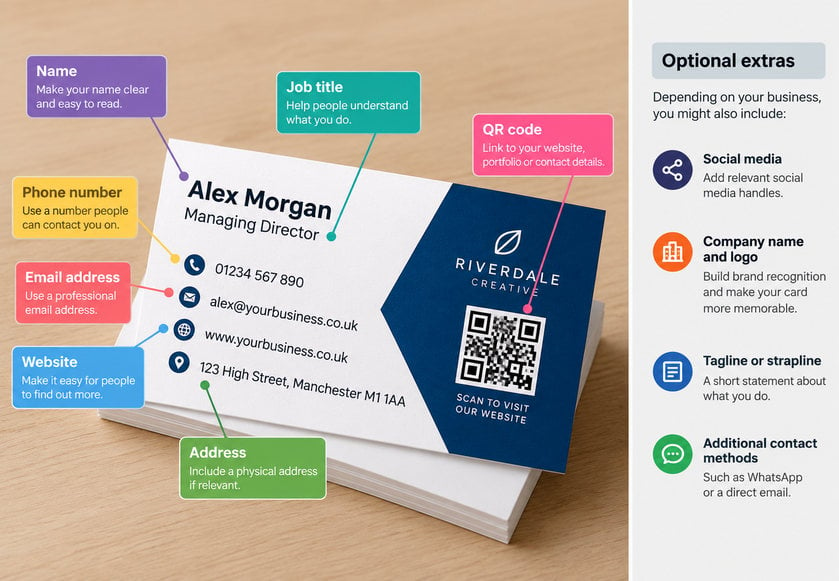
One of the most common questions people ask when designing business cards is: What should I include?
The answer depends on your business and what you want people to do after receiving your card.
For most businesses, the essentials are:
Your name: So customers remember who they spoke to.
Business name: To make your company easy to identify.
Job title or service: To explain your role or area of expertise.
Phone number: If you’d like customers to contact you by telephone.
Email address: For enquiries, quotations and business correspondence.
Website address: So people can learn more about your products or services.
You might also want to include your business address, a social media handle, QR code or a short tagline.
However, you don’t need to include everything. For example, a self-employed electrician may benefit from displaying a phone number and service area prominently, while an online retailer may prefer to emphasise its website.
A freelance designer might use an email address and portfolio link instead of a physical address.
Social media accounts can be useful if they play an important role in promoting your business.
Choose one or two relevant platforms rather than filling the card with several tiny icons.
A QR code is another useful addition, particularly if you want customers to:
Visit your website
View your portfolio
Open a digital contact card
Book an appointment
Leave a review
Make sure the QR code is large enough to scan and has sufficient contrast against the background. Always test it with a smartphone before sending your artwork to print.
Design tip: Prioritise the contact method you want people to use. If most enquiries come through your website, make the website address more prominent than less important information.
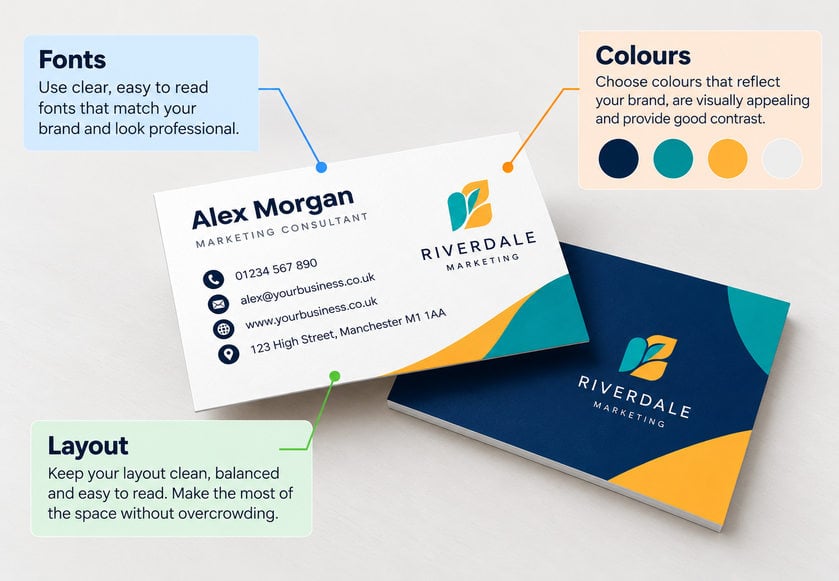
Typography and colour can completely change the appearance of a business card.
You might have the perfect logo and all the right information, but if the text is difficult to read, the design won’t do its job.
The best font for your business card is one that matches your brand while remaining clear at a small size.
Modern sans-serif fonts such as Arial, Helvetica and Montserrat can create a clean, contemporary appearance.
Traditional serif fonts such as Georgia and Garamond may suit more established, elegant or formal brands.
You can also use a decorative font for a business name or heading, provided it’s legible.
For a balanced design, try to use no more than two font families.
Business cards are small, so font size matters. As a starting point:
| Information | Suggested font size |
|---|---|
| Name or main heading | 10–14pt |
| Job title or business description | 8–10pt |
| Phone number, email and website | 8–10pt |
| Less important supporting text | 7–8pt, if clearly legible |
These are general guidelines rather than fixed rules. The ideal size depends on the font, weight, spacing and amount of text.
When possible, avoid making essential contact information smaller than 8pt.
Always check your design at its actual printed size rather than relying on a zoomed-in computer screen.
Your business card colours should complement your logo and other marketing materials.
If you already have established brand colours, use them consistently.
If you’re creating a new design, start with a limited colour palette.
For example:
Black and white can create a timeless, minimalist appearance.
Navy and white can feel professional and understated.
Bright accent colours can give creative brands a more energetic look.
Earthy greens and browns may complement natural or artisan branding.
Whatever colours you choose, there should be enough contrast between your text and background to make everything easy to read.
Light grey text on a white background might look subtle on screen but become difficult to read in print.
Think about the order in which someone should read your business card.
Usually, the most important elements are your logo or business name, followed by your name, job title and contact information.
Use spacing, alignment and font sizes to guide the reader’s eye naturally through the design.
Avoid using every available millimetre. A business card with fewer, well-organised elements will often be more effective than a crowded design.
If you want your business card to stand out, the choice of material and finish can make a difference.
The key is choosing an option that suits your brand rather than adding special effects simply for the sake of it.
Here are some business card ideas worth considering:
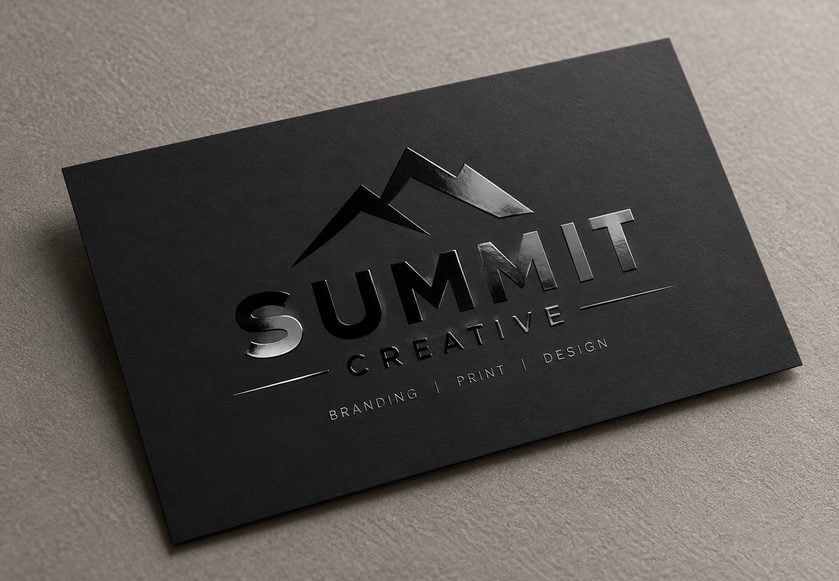
Spot UV business cards feature a glossy coating applied to selected areas of the design. This can create an interesting contrast between the printed surface and elements such as logos, patterns or lettering.
Spot UV is particularly effective with simple layouts where the coating has space to stand out.
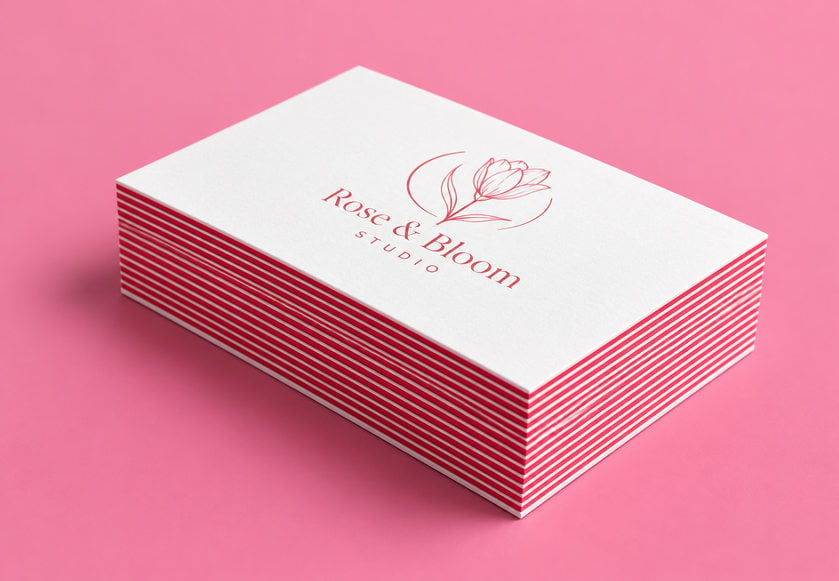
Triplex business cards are made using three layers of material, with a coloured centre sandwiched between the outer layers.
The result is an unusually thick card with a distinctive coloured edge.
They’re a good option for creative professionals, premium brands and businesses looking for a more substantial feel.
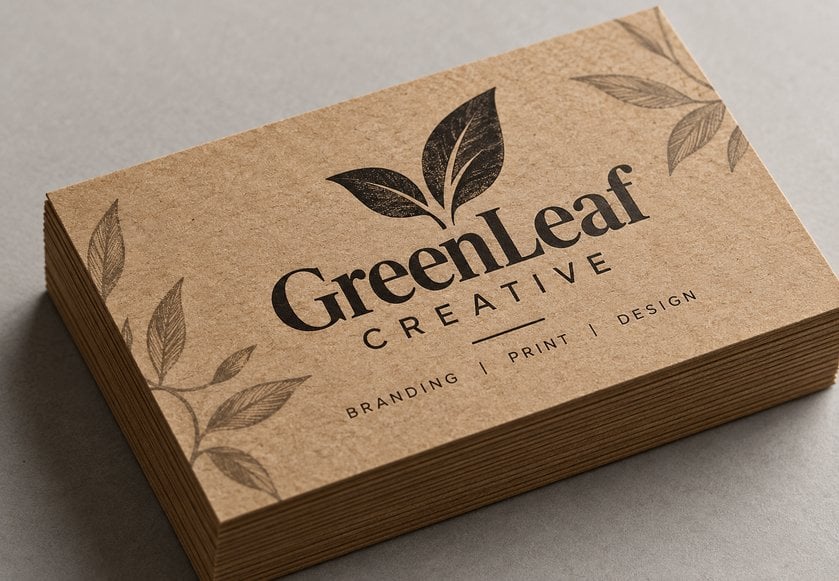
Kraft business cards have a natural brown paper appearance that can complement handmade, rustic or minimalist branding.
They’re particularly well suited to simple designs with dark text and limited colours.
Remember that the brown stock can affect the appearance of printed colours.
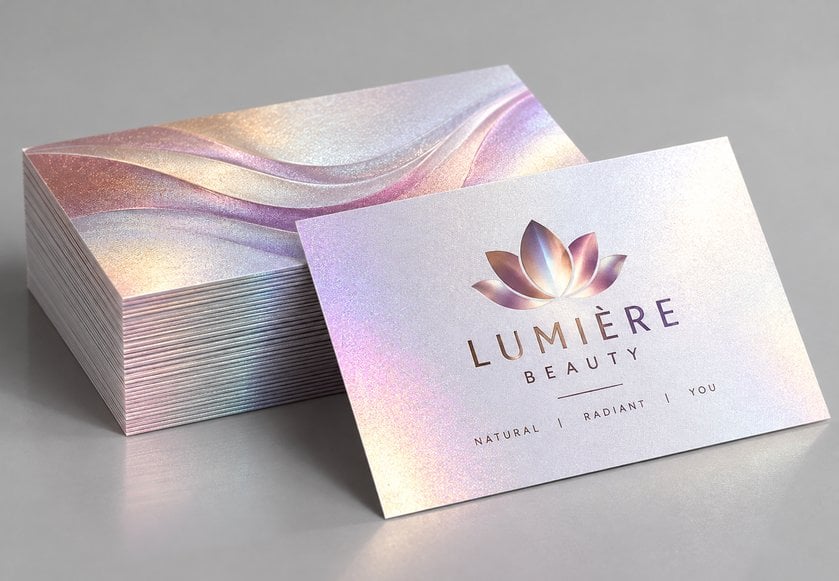
Pearlescent business cards offer a subtle shimmering effect that changes slightly as the light catches the surface.
They can work well for beauty businesses, fashion brands, salons and other businesses looking for a decorative finish.
Once you’re happy with your design, it’s tempting to send it straight to print.
Before doing that, take a few minutes to check your artwork.
Small mistakes are easy to miss on screen, particularly when you’re working with such a compact design.
Read every word carefully. Pay particular attention to phone numbers, email addresses, website URLs and social media handles.
A single incorrect character could prevent a potential customer from contacting you.
It’s also worth asking someone else to proofread the card.
Print a sample on ordinary paper at 100% scale, cut it to the finished size and look at it as someone would in real life.
Ask yourself:
Is the text comfortable to read?
Does the logo stand out?
Are the contact details easy to find?
Is the design too crowded?
Does everything look properly aligned?
You might notice issues that aren’t obvious when viewing an enlarged design on your computer.
Most commercial printing uses the CMYK colour process.
CMYK stands for cyan, magenta, yellow and key (black).
Computer screens typically display colours using RGB, which can produce colours that look different from their printed equivalents.
To reduce unexpected colour changes, prepare your business card artwork in CMYK wherever possible.
For sharp, professional printing, images should generally have a resolution of at least 300dpi at their intended printed size.
Avoid enlarging small, low-resolution images, as they may appear blurry or pixelated.
Where possible, use vector artwork for your logo and other graphical elements.
A high-quality PDF is usually a reliable choice for commercial printing because it helps preserve the layout, fonts and graphics.
Before exporting, make sure:
Your document uses the correct finished dimensions.
You’ve added the required 3mm bleed.
Important content remains at least 4mm from the finished edge.
Your colours are prepared in CMYK.
Images meet the required resolution.
Fonts are embedded or converted to outlines as appropriate.
The final PDF includes all required artwork.
If your business card has printing on both sides, check the front and back carefully, including their orientation.
For specialist finishes such as spot UV, you may also need to supply separate artwork showing where the coating should be applied.
You don’t have to be an experienced designer to create a good business card.
Tools such as Canva, Adobe Express and professional design applications make it possible to build a layout using your existing logo, colours and contact details.
Templates can be especially useful if you’re not sure where to begin. Choose one that suits your brand, then customise the layout rather than simply replacing the sample text.
However, there are times when hiring a professional graphic designer makes sense.
A designer can help you:
Create a distinctive layout that reflects your brand.
Select suitable fonts and colour combinations.
Organise your content more effectively.
Develop consistent branding across printed materials.
Prepare artwork to the required print specifications.
If you’re launching a new business, refreshing your brand or ordering premium cards, professional design support may be a worthwhile investment.
Whatever approach you choose, make sure you receive a print-ready file that can be used for future reprints.
Even a good design idea can be spoiled by small mistakes. Here are some of the most common problems to watch out for.
1. Adding too much information
Trying to fit every service, social media profile and contact detail onto one card creates unnecessary clutter. Keep the information focused on what your customers actually need.
2. Choosing fonts that are too small
Tiny text might look fine on a large computer screen but become difficult to read on a printed card. Check readability at actual size.
3. Using low-resolution images
Blurry logos and pixelated photographs can make a business card look unprofessional. Use high-resolution images and vector graphics wherever possible.
4. Ignoring bleed and safe margins
Without the correct bleed, you risk unwanted white edges. Placing important information too close to the trim line can also cause problems. Always follow your printer’s artwork specifications.
5. Choosing colours with poor contrast
Your contact details should be easy to read against the background. Avoid colour combinations that make text disappear or strain the reader’s eyes.
6. Forgetting to proofread
Incorrect contact details are among the most frustrating mistakes because they can make an otherwise attractive business card ineffective. Double-check everything before approving the print.
At Cheap as Prints, we offer a wide selection of business card printing options, from affordable everyday cards to premium finishes for a more distinctive look.
Whether you’ve created your own design or worked with a professional, choosing the right print finish is the final step towards bringing your business cards to life.
Explore our business card printing options and find the right style for your business
We use cookies to enhance your experience. By continuing, you agree to our Privacy Policy.
Select which cookies you want to allow:
Save 5% on your order when you subsribe to our newsletter.

One Comment-
In short, business cars provide essential contact information and brand recognition. In the introduction of your article there is a mistake Business cars instead of Business cards kindly correct .