A well-designed roller banner can turn heads, attract customers and help your business stand out at exhibitions, retail spaces, conferences and networking events.
The good news? You don’t need to hire a graphic designer or invest in expensive software. With Canva, anyone can create a professional-looking roller banner in minutes.
In this guide, you’ll learn how to design a roller banner using Canva and ensure it’s ready for high-quality printing.
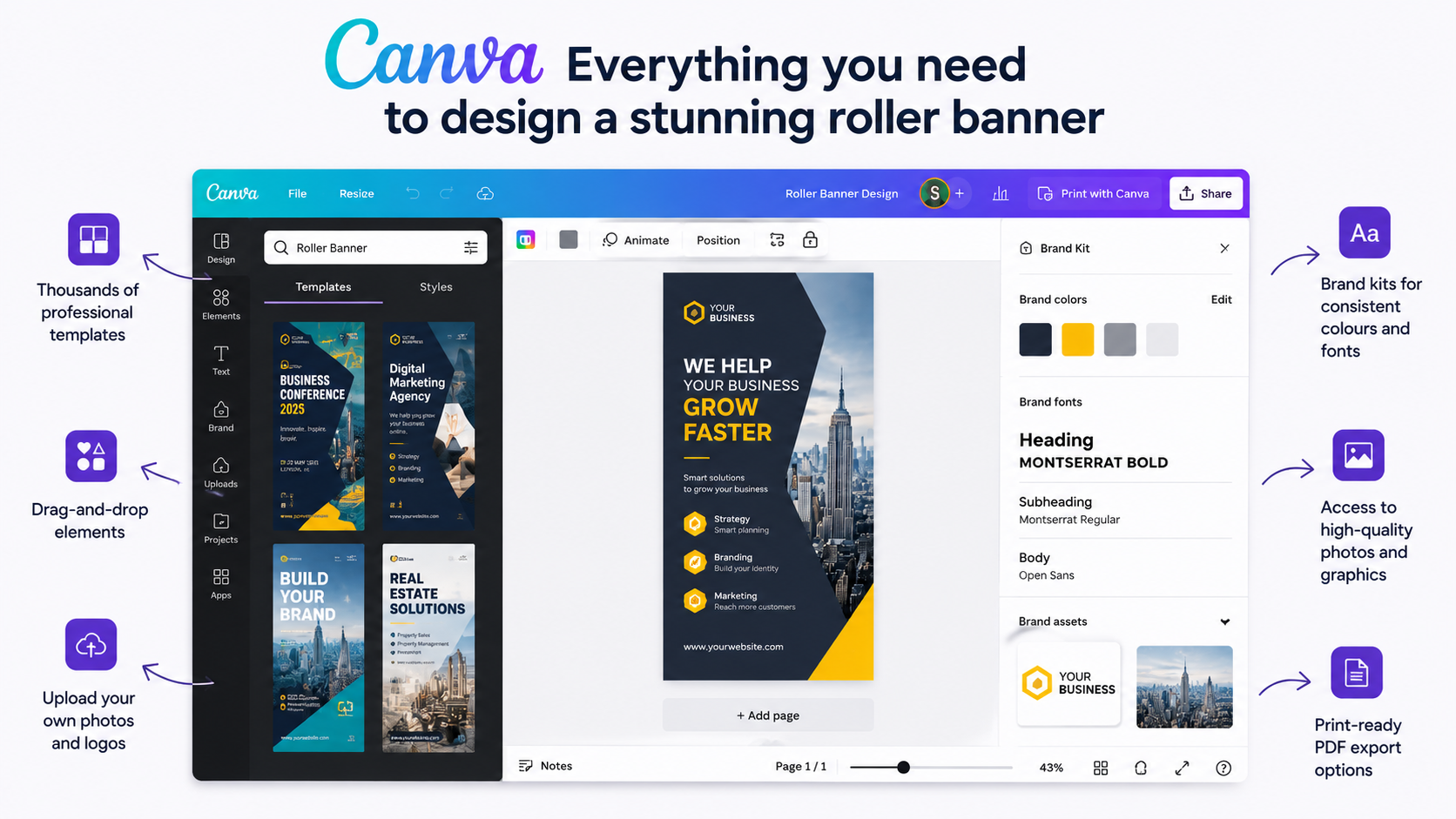
Canva has become one of the most popular design tools because it offers:
Whether you’re promoting your business, launching a product or attending a trade show, Canva makes the process simple and affordable.
Before designing, make sure you know the dimensions of your banner. The most common size in the UK is:
Other popular sizes include:
Using the correct dimensions ensures your artwork prints perfectly without distortion.
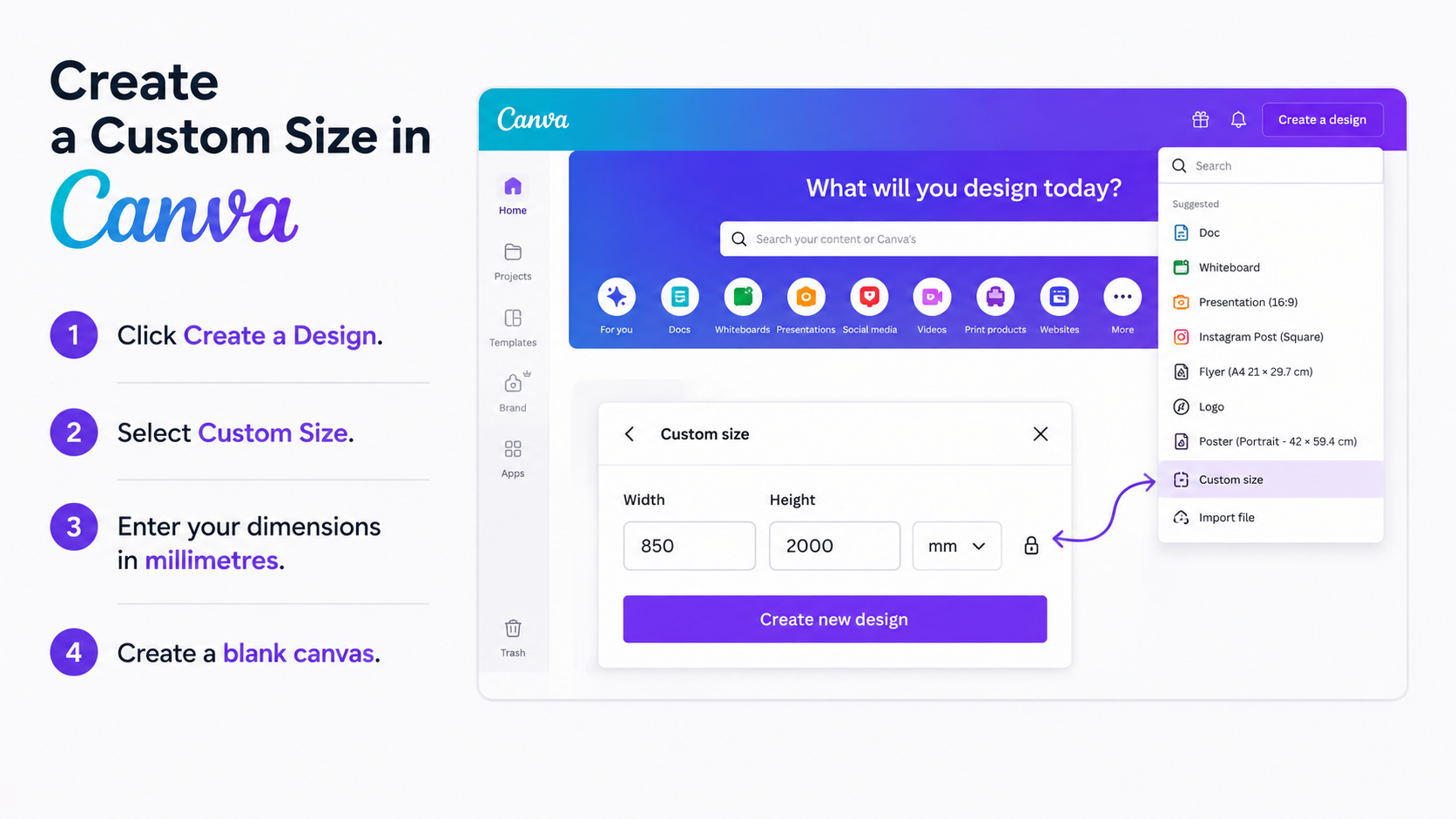
Open Canva and:
This gives you a true-to-size workspace for your roller banner.
Canva offers numerous templates that can speed up the design process. Simply search:
You can customise colours, fonts, images and layouts to match your branding. Templates are ideal if you’re short on time or lack design experience.
Your headline should be large, bold, and easy to read from a distance. Short, attention-grabbing phrases such as “Grow Your Business Faster,” “Professional Printing Solutions,” or “Stand Out at Every Event” help communicate your message instantly.
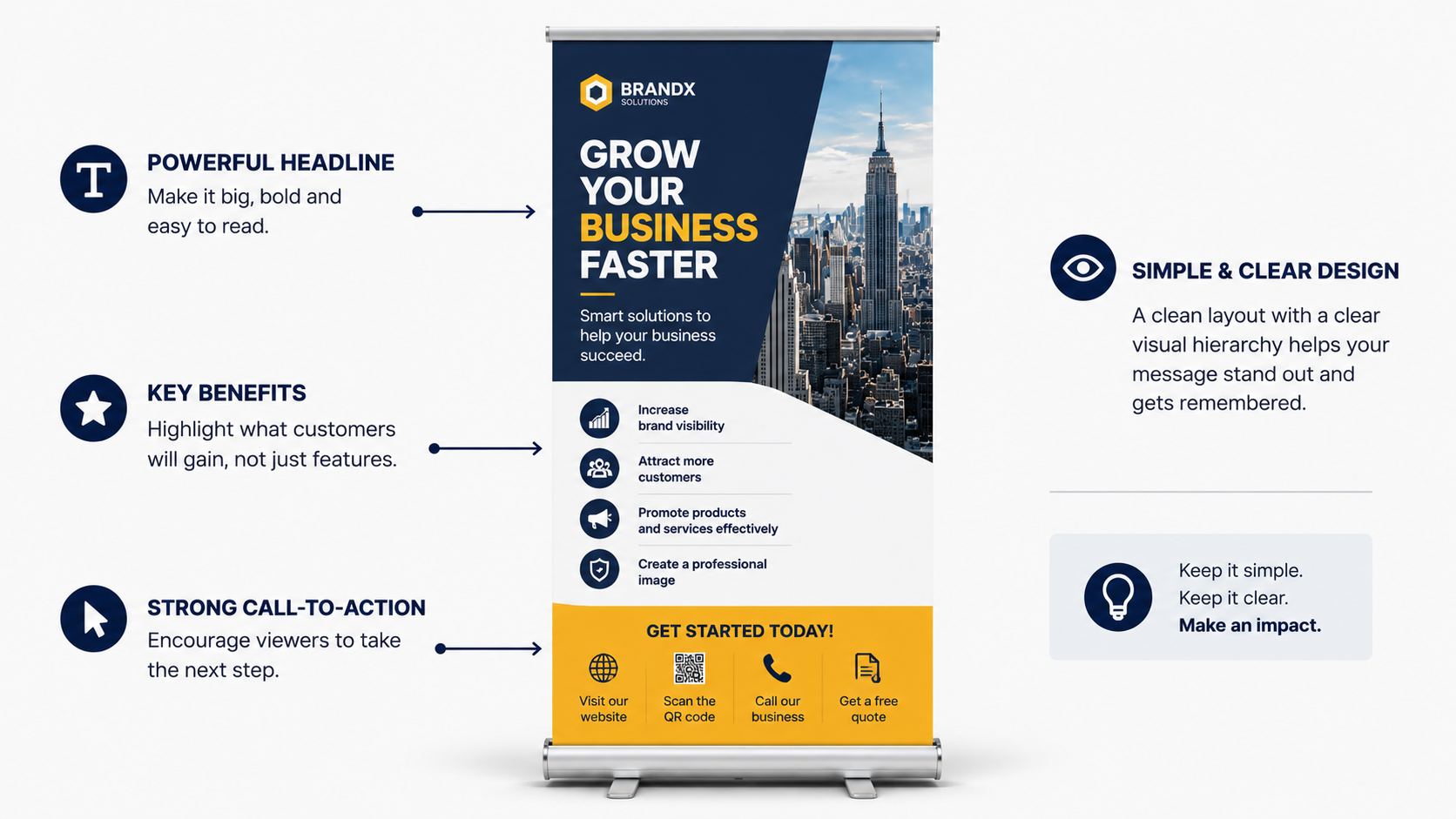
Rather than focusing on features, emphasise what customers will gain. For example, your banner can show how you help businesses increase brand visibility, attract more customers, promote their products and services and create a professional image.
A clear call-to-action encourages people to take the next step, whether that’s visiting your website, scanning a QR code, calling your business, or requesting a free quote.
Overall, keep the design simple and use a clear visual hierarchy so viewers can quickly understand your message, even from several feet away.
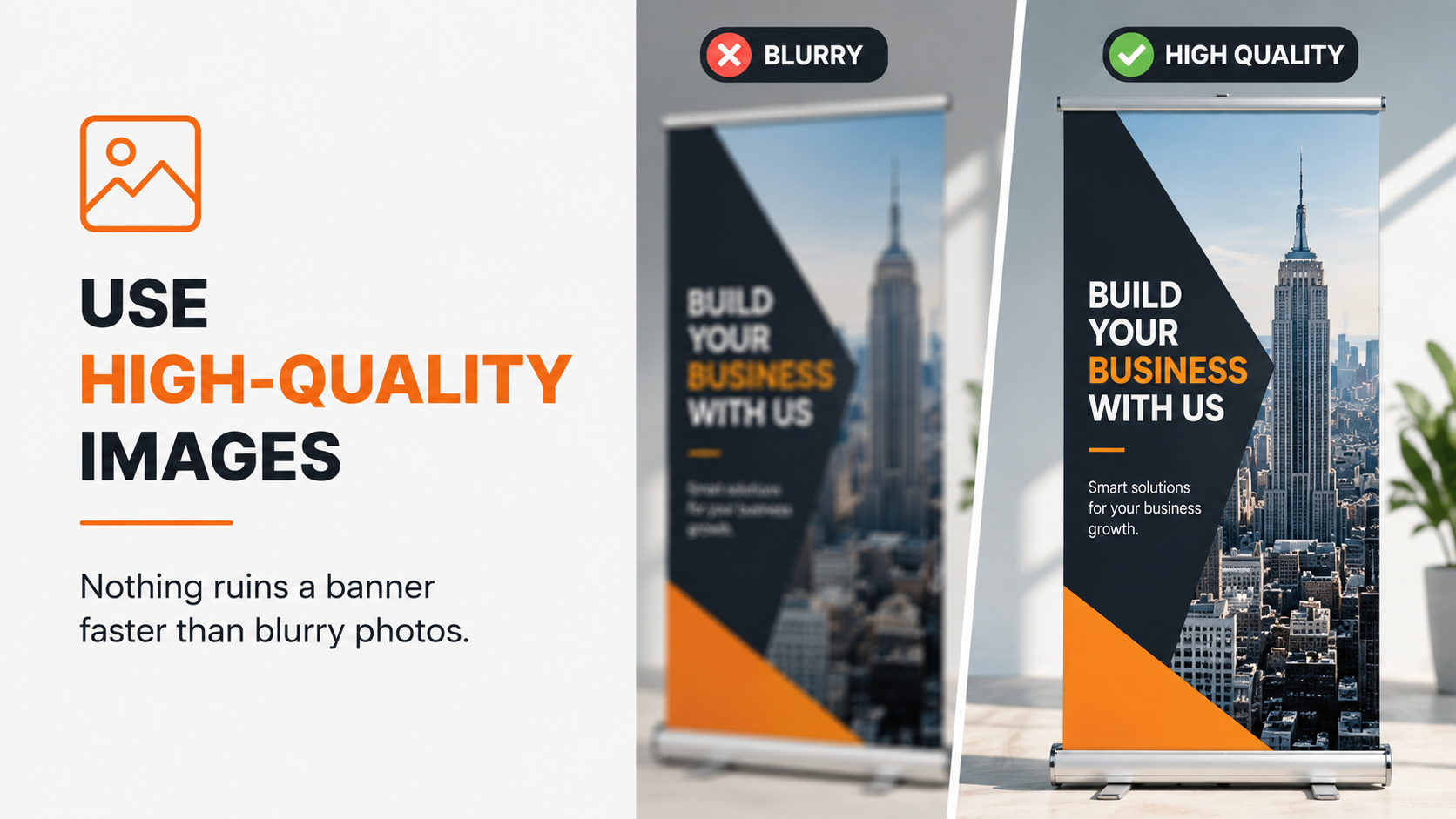
Nothing ruins a banner faster than blurry photos.
For the best results:
Canva’s library provides thousands of premium-quality visuals that enhance the overall appearance of your design.
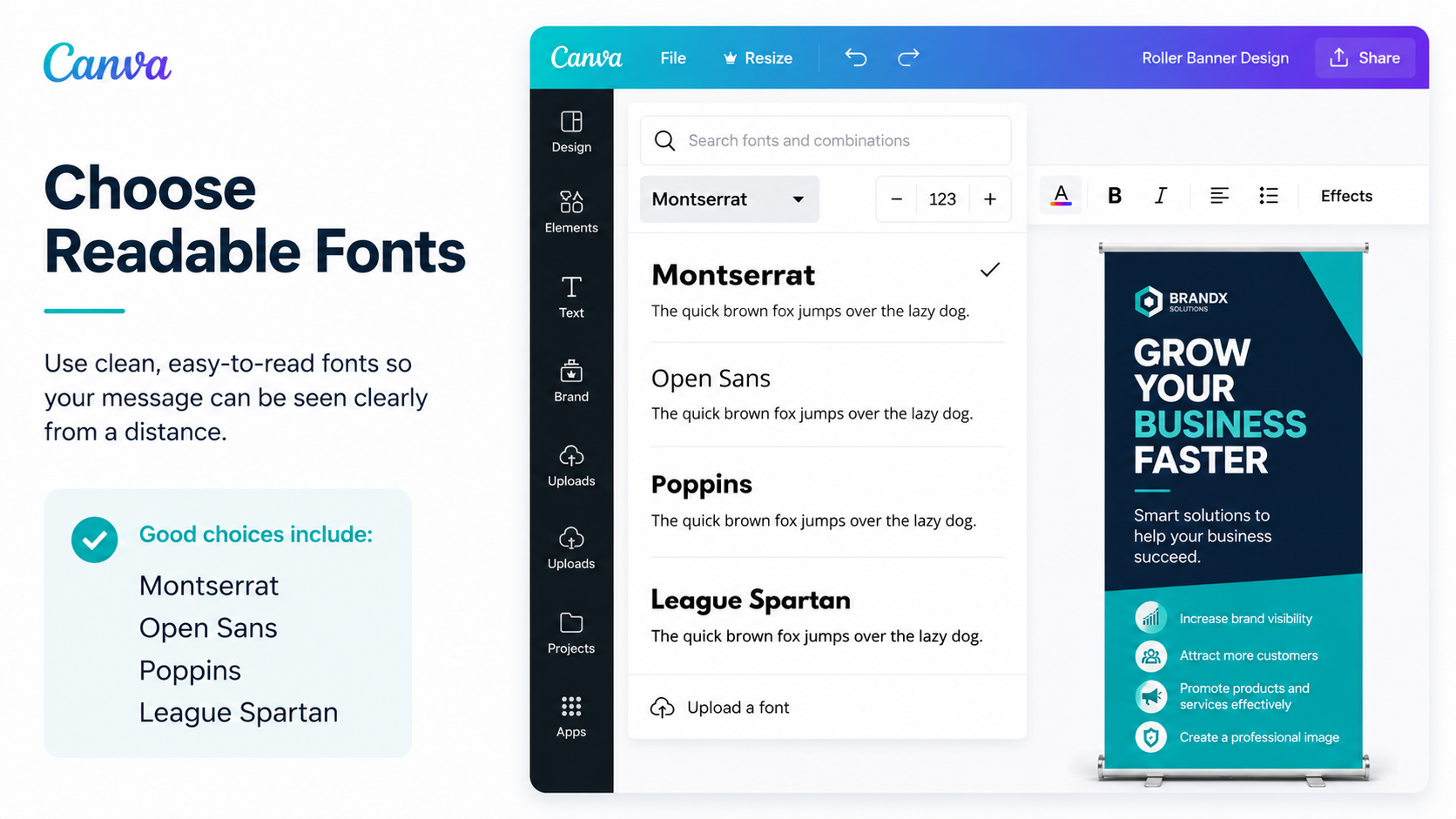
Your audience should be able to read your message from a distance.
Good choices include:
Avoid overly decorative fonts that reduce readability.
Stick to:
This creates a cleaner and more professional appearance.
Include:
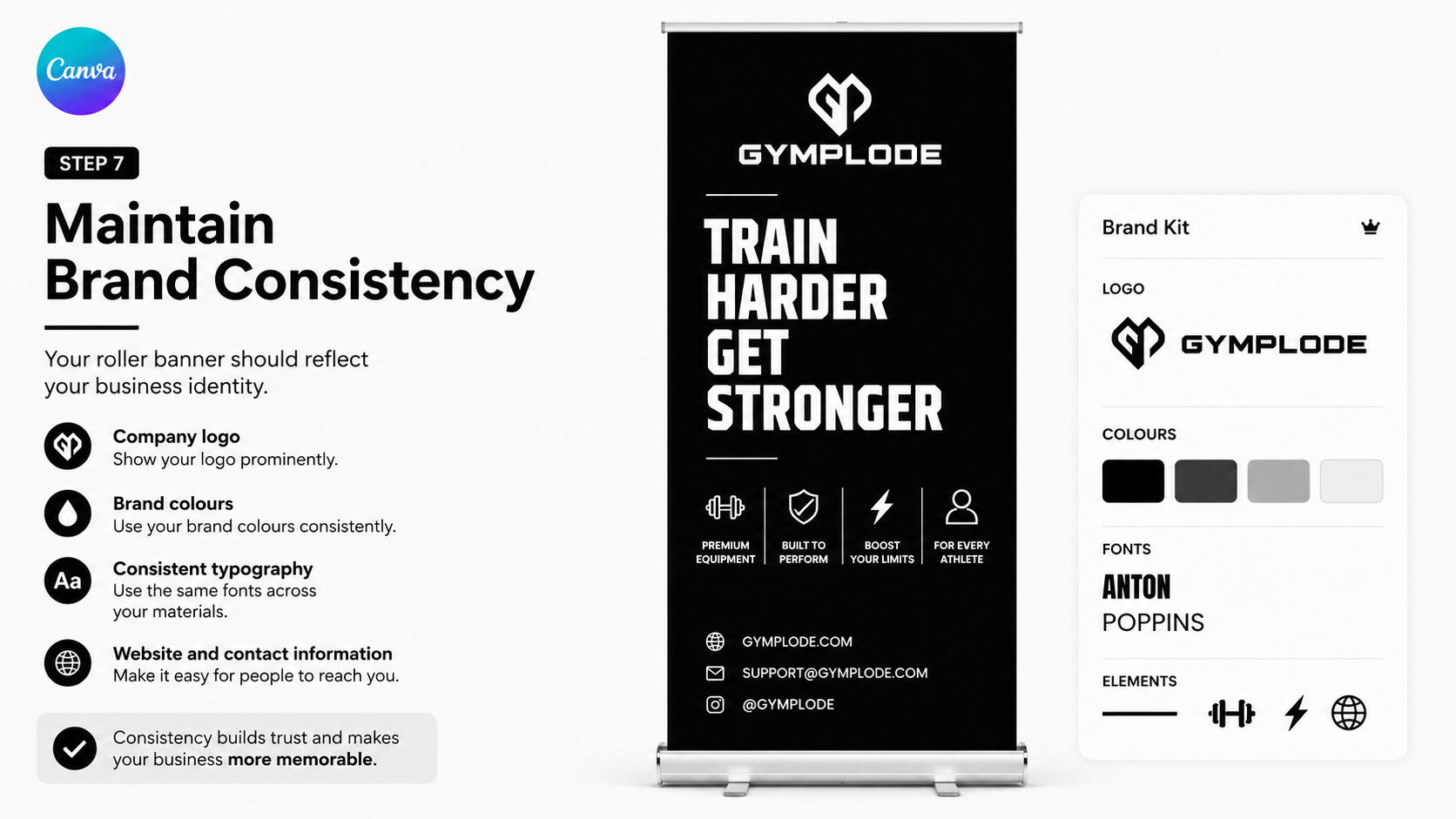
Consistency builds trust and makes your business more memorable. Canva’s Brand Kit makes this easy.
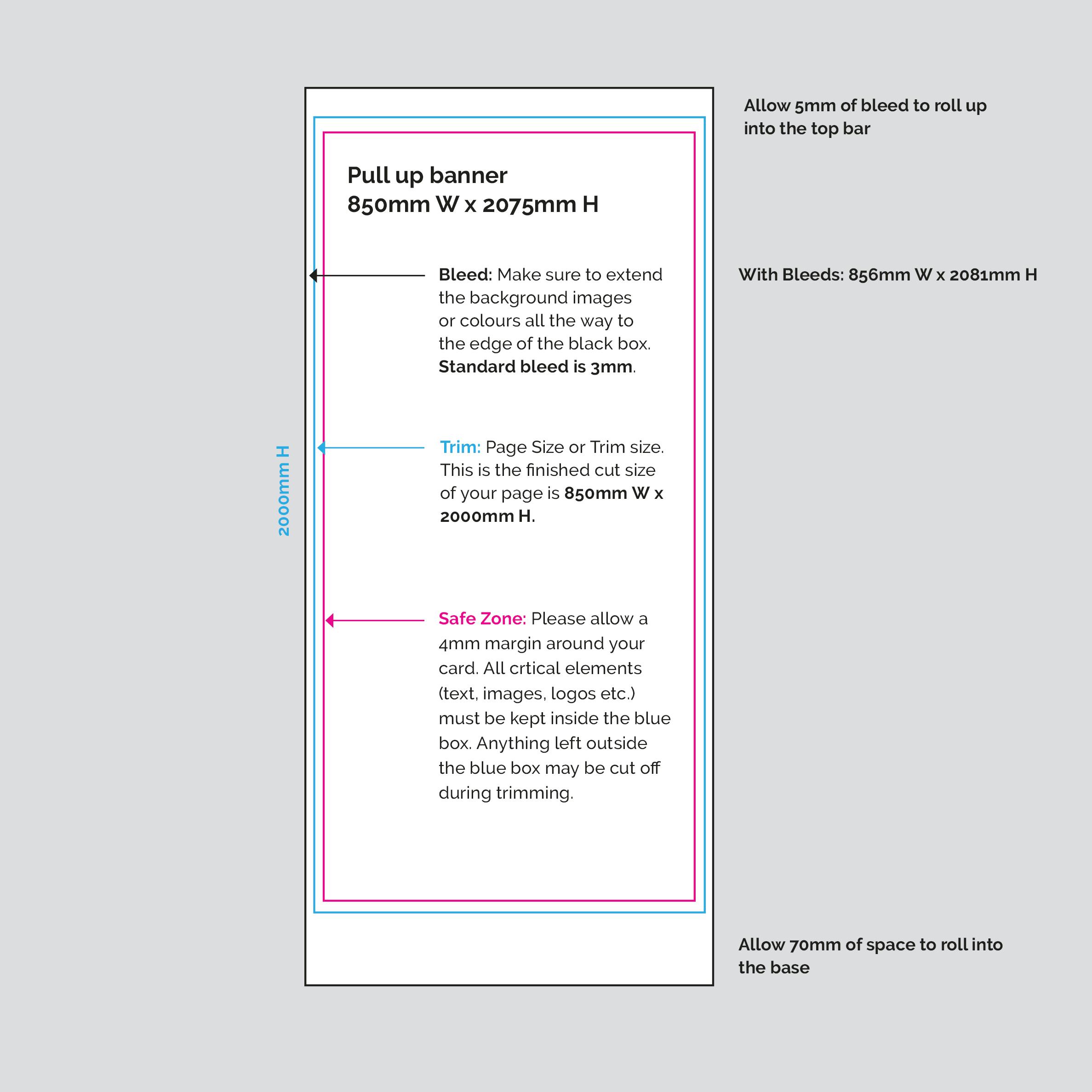
Some parts of the banner disappear inside the base mechanism, so avoid placing important text too close to the edges.
Professional printers recommend:
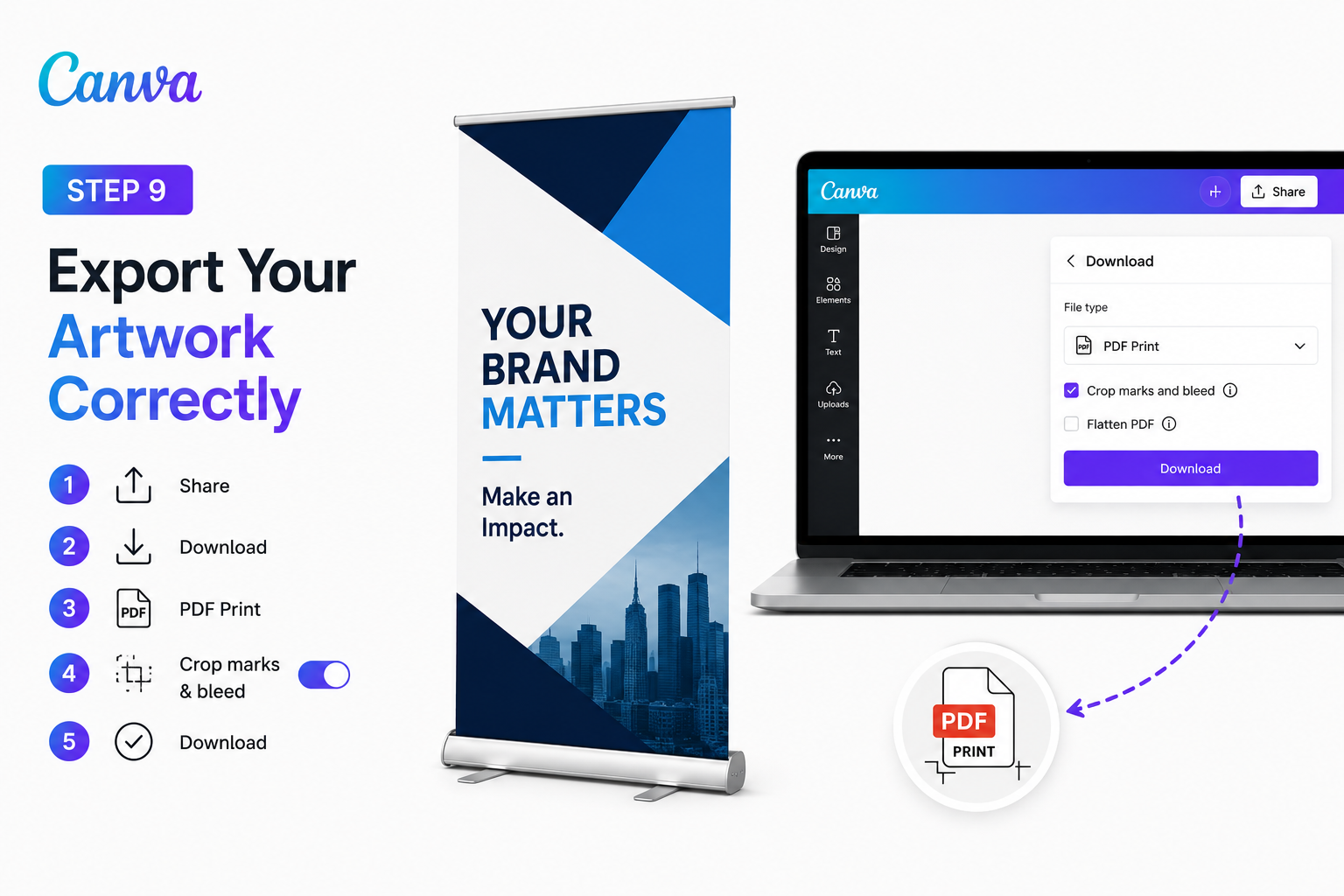
Once your design is complete:
This ensures sharp, high-quality printing with accurate colours.
Once your design is complete:
This ensures sharp, high-quality printing with accurate colours.
Designing your banner is only half the process. To achieve a professional finish that impresses customers and stands out at exhibitions, you’ll need high-quality printing.
Whether you’re promoting a business, showcasing products, or attending trade shows, at Cheap as Prints we offer a high-quality roller printing service that will help your brand make a lasting impression.
We use cookies to enhance your experience. By continuing, you agree to our Privacy Policy.
Select which cookies you want to allow:
Save 5% on your order when you subsribe to our newsletter.
