
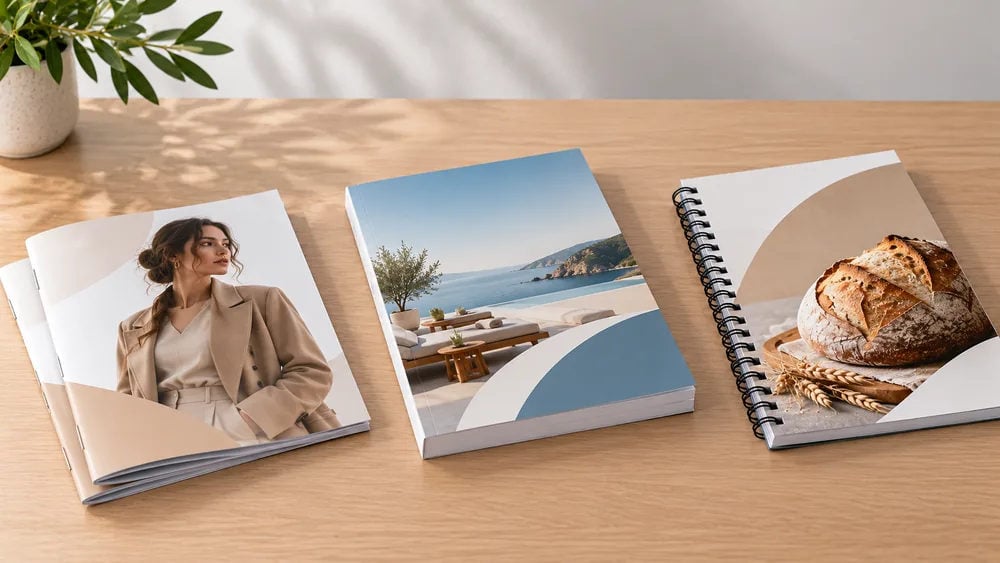
A well-designed brochure can make a lasting impression on potential customers. Whether you’re promoting your business, showcasing products or sharing important information, professional brochure printing helps present your message in a clear and attractive way.
However, creating a great brochure involves more than choosing a design and sending it to print. The size, paper type, layout, images and finishing options all influence how your brochure looks and feels.
If you’re planning to print brochures for your business, these practical tips will help you avoid common mistakes and achieve a professional finish without unnecessary expense.
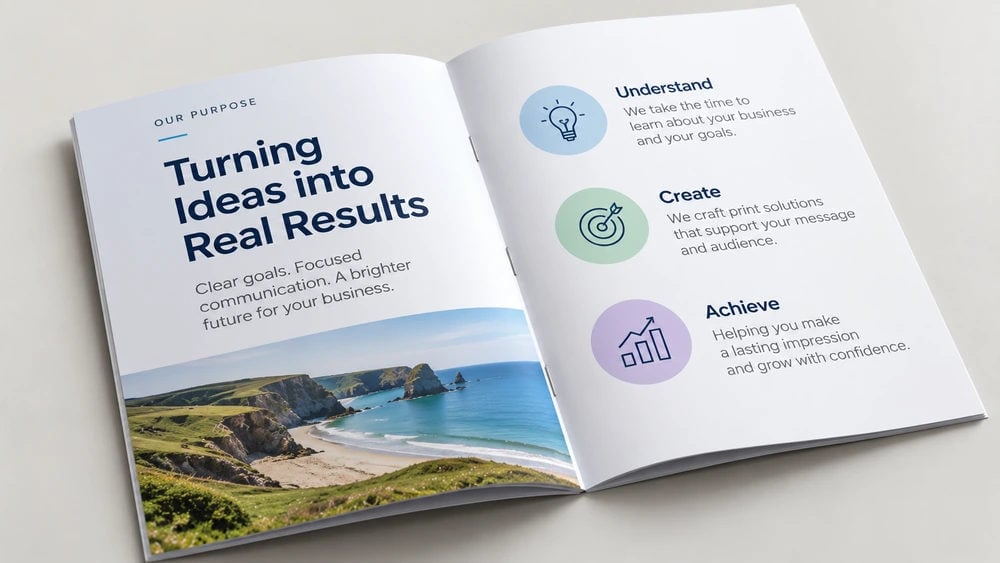
Before designing your brochure, think about what you want it to achieve.
Are you introducing your business to new customers, promoting a particular service or displaying a range of products? Knowing your objective will make it much easier to decide what information to include.
For example, a brochure introducing your company might focus on your services, experience and contact details. A product brochure, on the other hand, may need photographs, specifications, descriptions and pricing.
Keep your message focused. Avoid filling every available space with information. Readers should be able to understand what you offer and why it matters without having to work through large blocks of text.
A clear headline, short paragraphs and a logical layout will make your brochure more enjoyable to read.
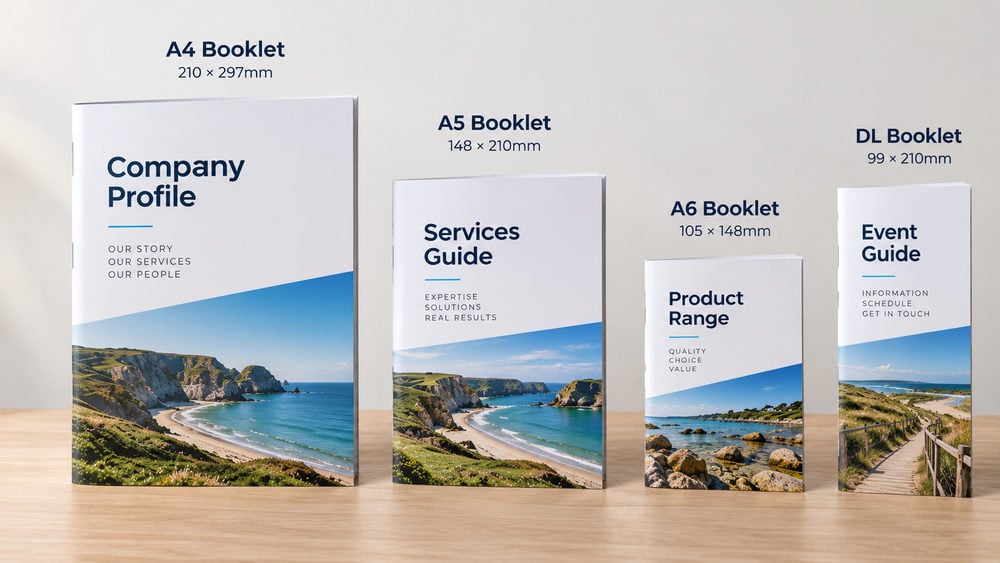
Choosing the right size is one of the most important decisions when planning brochure printing.
Your brochure needs enough space to present your information comfortably, but it should also be practical to handle, store and distribute.
Some popular brochure sizes include:
A4 (210 × 297mm): Ideal for detailed product brochures, company profiles and sales presentations.
A5 (148 × 210mm): A compact choice for promotional brochures, service guides and event information.
A6 (105 × 148mm): Suitable for smaller promotional materials with concise messaging.
DL (99 × 210mm): A slim format commonly used for folded promotional brochures and marketing materials.
For shorter promotional content, a folded brochure can be a practical option. Half-fold, tri-fold and Z-fold designs help organise information into separate panels without requiring multiple bound pages.
If you have more content to include, a multi-page booklet may be more suitable.
At Cheap as Prints, you can explore our folded leaflet printing and booklet printing options to find a format that suits your project.
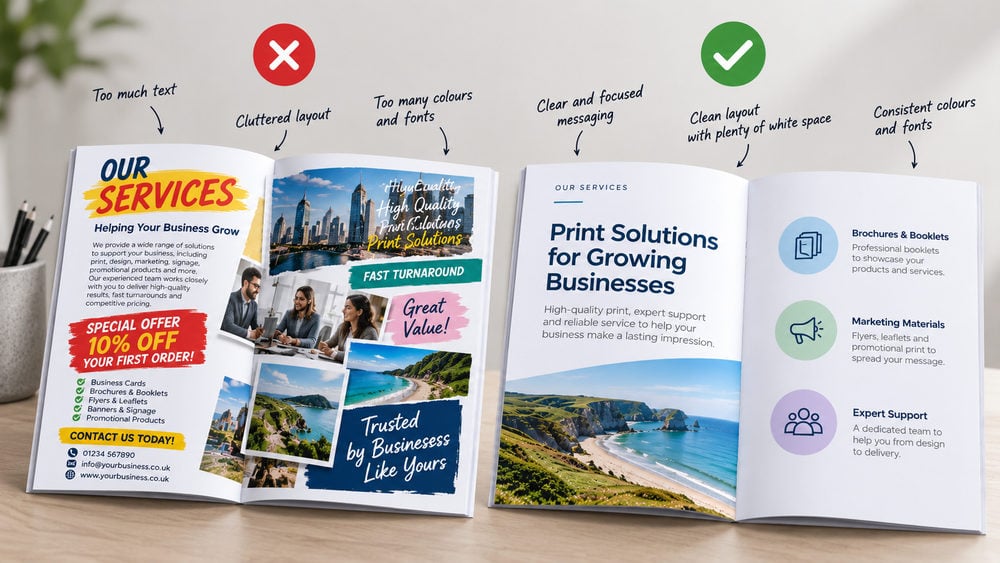
One of the biggest brochure design mistakes is trying to fit too much onto every page.
Although you may have plenty to say about your business, an overcrowded design can make it difficult for readers to find the information they need.
Instead, give your content room to breathe. Use clear headings to introduce each section, short paragraphs to explain important details and bullet points where they make information easier to understand.
White space is equally important. Leaving some areas of your brochure uncluttered helps draw attention to your most important messages. Try to maintain a consistent design throughout, using the same colours, fonts and visual style. Your brochure should look like an extension of your business, not a collection of unrelated designs.
Top tip: Make sure your front cover clearly shows what the brochure is about. A strong headline, an appealing image and your business branding can encourage people to open it.
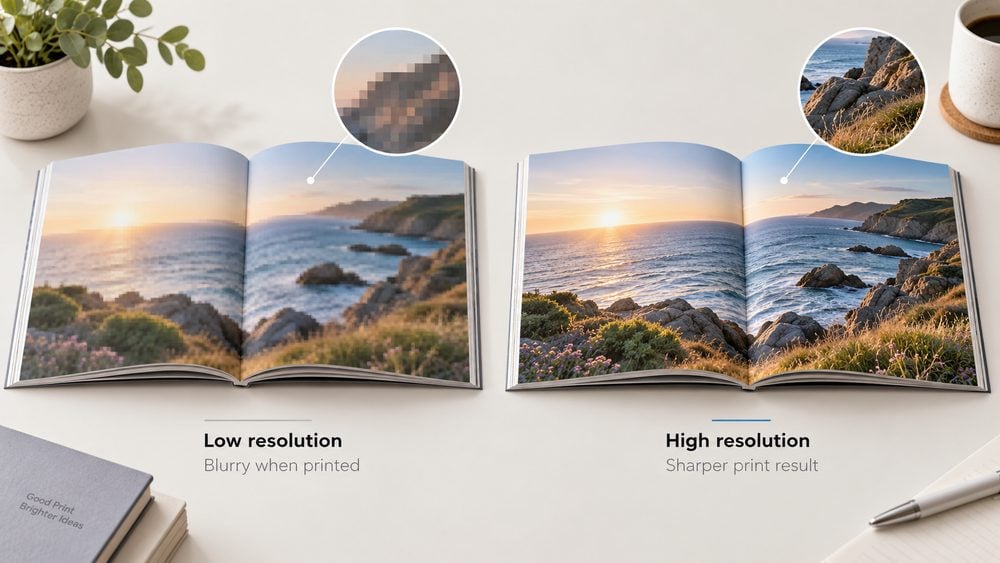
Images can make a huge difference to the appearance of a printed brochure.
Whether you’re displaying products, completed projects or examples of your services, clear photographs help customers understand what you offer. However, images that look fine on a phone or computer screen don’t always reproduce well in print.
For most brochure artwork, aim to use images with a resolution of 300dpi at their intended printed size. This helps prevent pixelated or blurry results. Avoid stretching small images to fill large areas, as this can reduce their effective resolution.
Where possible, use original product photographs or high-quality images that accurately represent your business. It’s also worth checking that your images have suitable lighting, colours and composition before adding them to your design.
Top tip: If you’re sourcing photographs online, make sure you have permission to use them commercially.
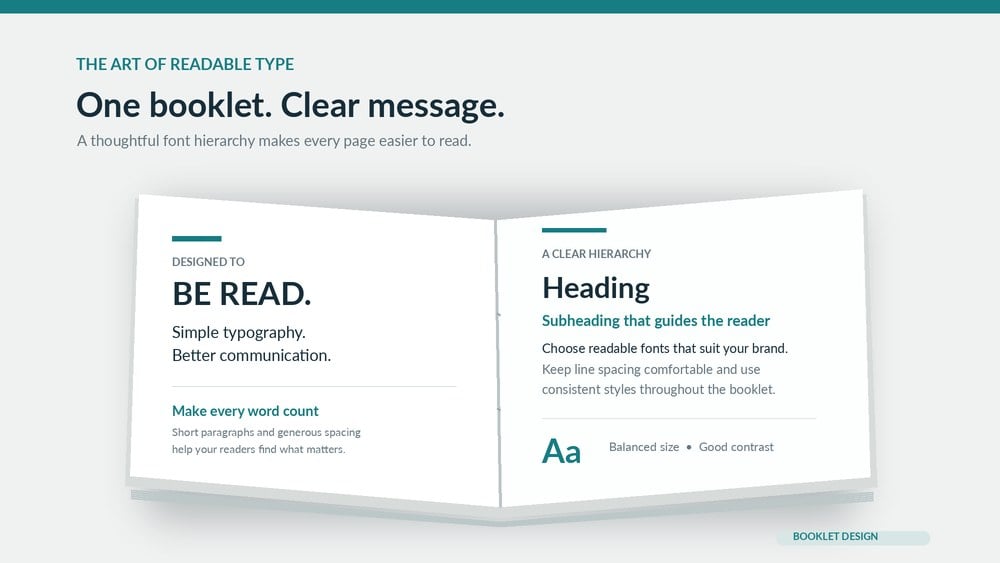
Your brochure might contain excellent information, but it won’t be effective if customers struggle to read it.
Choose fonts that complement your brand while remaining clear and legible when printed. It’s usually best to limit your design to one or two font families, using different weights and sizes to create a consistent hierarchy.
For most brochures, body text around 10–12pt is a useful starting point, although the ideal size depends on the font, layout and intended audience. Headings should be larger and clearly distinguishable from the main text. Avoid using several decorative fonts or placing small text over busy photographs.
Pay attention to colour contrast, too. Dark text on a light background is often easier to read than pale text over a patterned image. Remember that your brochure needs to work on paper, not just on your computer screen.
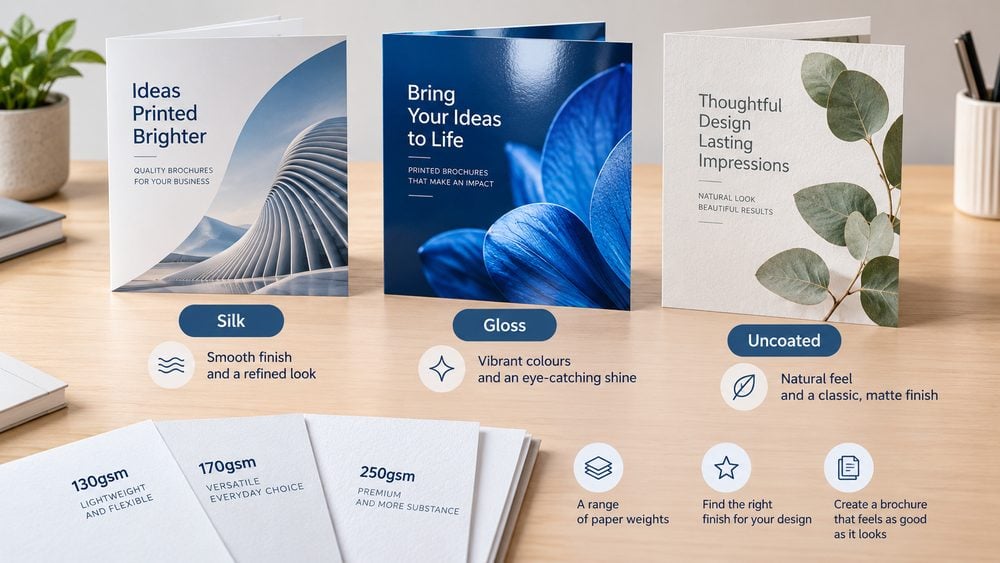
Paper choice can completely change how a brochure looks and feels. The right paper depends on the purpose of your brochure, how frequently it will be handled and the impression you want to create.
Three common paper finishes are:
Silk paper offers a smooth finish with a subtle sheen. It’s a versatile choice for business brochures because it balances image quality with readability.
Gloss paper has a shiny surface that can make photographs and colours appear more vibrant. It’s particularly suitable for image-heavy product brochures and promotional materials.
Uncoated paper has a more natural, non-shiny feel. It can work well for brochures with plenty of text or for businesses wanting a more understated appearance.
Material thickness is another factor to consider. Paper weight is measured in gsm (grams per square metre). Generally, a higher gsm provides a thicker, more substantial feel, although stiffness also depends on the paper stock.
For folded brochures, 130–170gsm is a useful range to consider. For multi-page brochures, you may prefer lighter inner pages with a thicker cover.
Before choosing, think about your budget, how the brochure will be distributed and whether you want a lightweight promotional piece or a more substantial presentation.
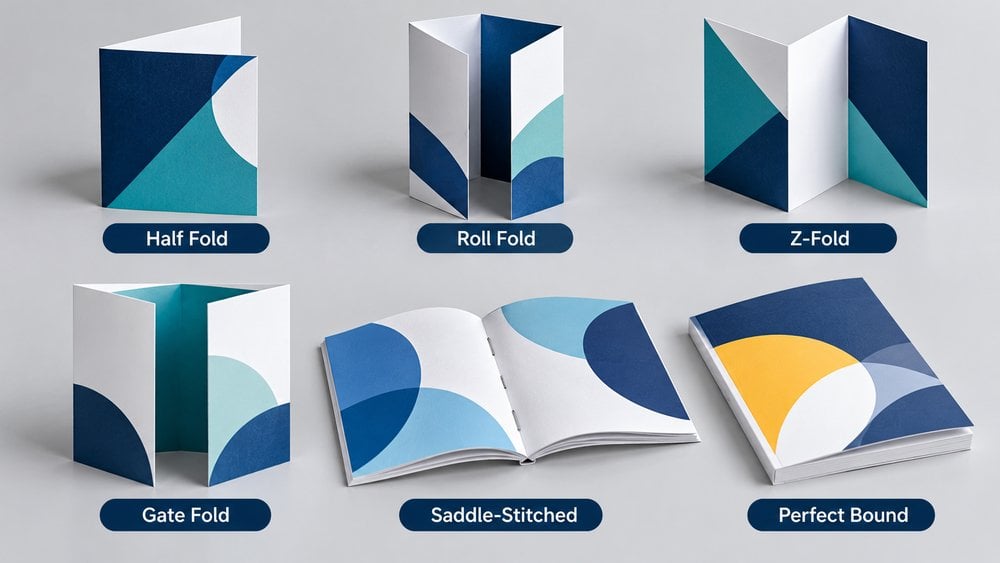
Not every brochure needs to be produced in the same format. If you’re creating a short promotional brochure, a folded leaflet may provide all the space you need. For longer publications, a bound booklet is often more practical.
Here are some options worth considering:
Half-fold, tri-fold and Z-fold brochures are suitable for presenting services, promotions and other concise information in a compact format.
Also known as saddle-stitched booklets, these are held together with staples along the folded spine. They’re a cost-effective option for company brochures, event programmes and smaller product catalogues. Explore our stapled booklet printing options.
Perfect binding creates a neat, square spine using adhesive to hold the pages together. It’s particularly suitable for thicker product catalogues, company publications and premium brochures. See our perfect bound booklet printing range.
The best option depends on the number of pages, intended use and overall presentation you want to achieve.
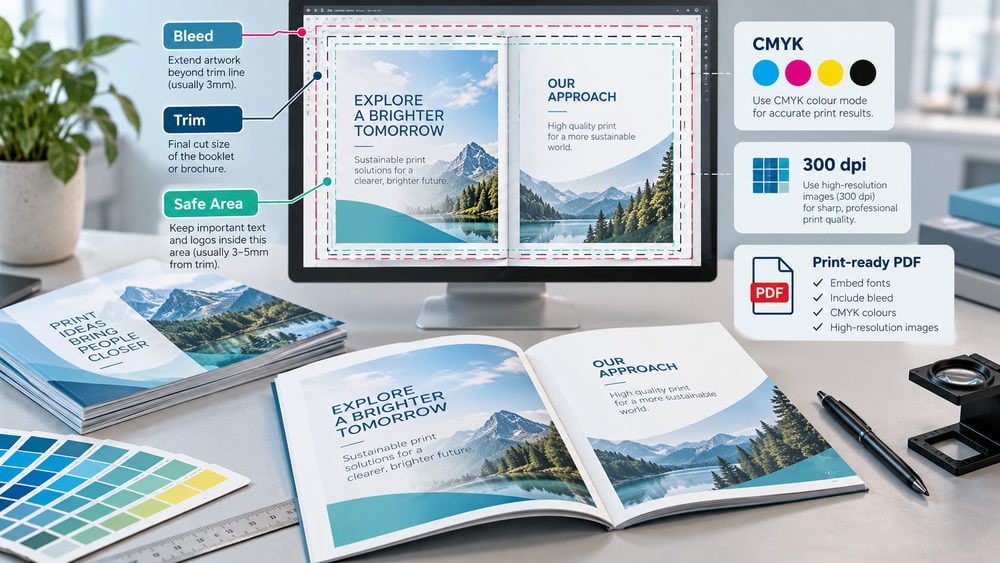
Even an attractive brochure design can produce disappointing results if the artwork hasn’t been prepared properly.
Before submitting your files, make sure you’ve followed the artwork specifications for your chosen printing product.
A few important areas to check include:
Bleed: Where required, extend images and background colours beyond the finished trim edge. A 3mm bleed is common for brochure printing.
Safe margins: Keep headings, logos and important text away from trim edges and folds. Allow sufficient space near bound spines.
Colour mode: Prepare your artwork in CMYK where specified, as screen-based RGB colours can reproduce differently in print.
Image resolution: Check that your photographs and graphics are suitable for printing, ideally 300dpi at their final size.
Fonts: Ensure fonts are embedded or converted to outlines according to the product requirements.
File format: A print-ready PDF is usually the preferred option for preserving your brochure layout.
If you’re printing a multi-page booklet, also check the page order, total page count and any binding-specific requirements. For example, stapled booklets generally require a total page count divisible by four. Always refer to the individual product’s artwork instructions rather than assuming every brochure uses the same settings.
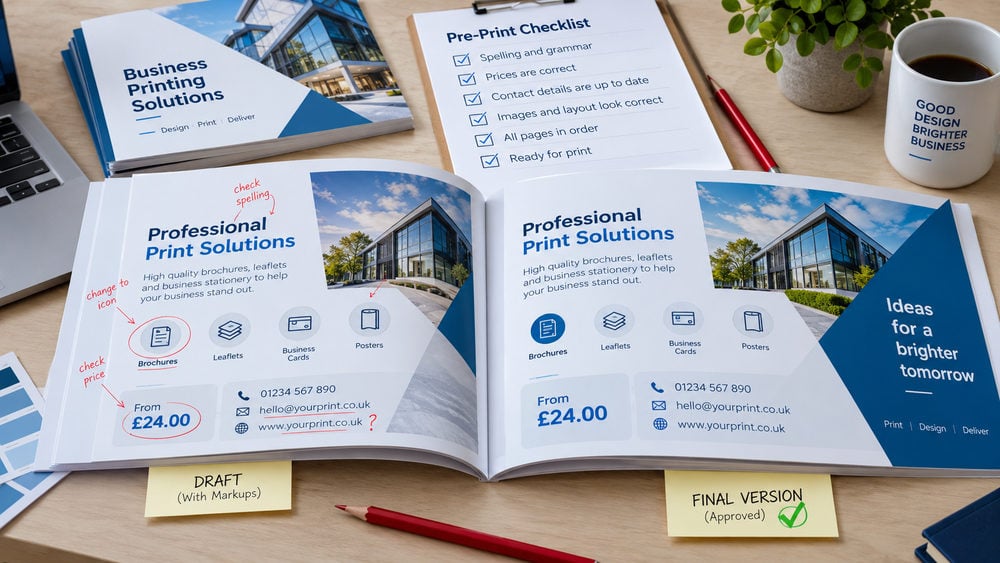
Once your brochure artwork is finished, it’s tempting to send it straight to print. However, taking a little extra time to review everything can help you avoid costly mistakes.
Check your brochure carefully for spelling errors, incorrect prices, outdated information and missing contact details. Pay particular attention to telephone numbers, website addresses, email addresses and any special offers or expiry dates.
If possible, print a copy of your design at its intended size. This gives you a better idea of how readable the text will be and whether the layout works as expected.
For folded brochures, create a simple paper mock-up to check which content appears on each panel and how it reads when opened. It’s also worth asking someone unfamiliar with your business to review the brochure. They may notice missing information or confusing sections that you’ve overlooked.
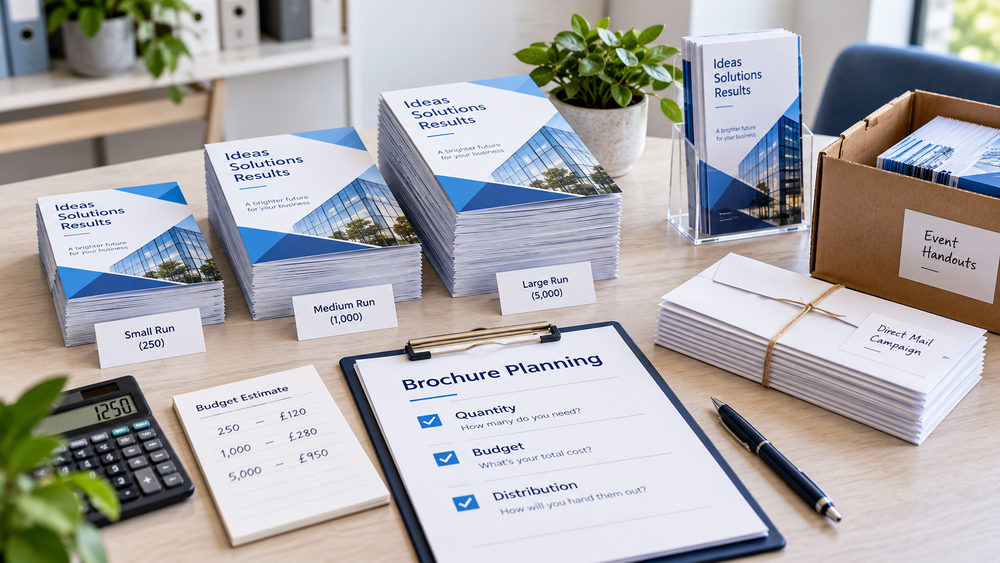
Before placing an order, decide how many brochures you realistically need. Printing larger quantities can reduce the cost per copy, but ordering more than you can use may not be worthwhile, particularly if your prices or product information change regularly.
Think about where your brochures will be distributed. Will they be handed out at exhibitions, displayed in reception areas, included in customer orders or posted directly to potential customers?
Your distribution method can influence your choice of size, paper weight and binding. For example, a compact folded brochure may be easier to post, while a premium multi-page brochure could be better suited to face-to-face sales meetings.
Choosing a specification that suits your actual needs can help you get better value from your printing budget.
Silk paper is a popular all-round choice because it offers a professional appearance and good readability. Gloss paper works well for brochures featuring plenty of photographs, while uncoated paper provides a more natural finish. The best choice depends on your design and intended use.
A4 and A5 are both common choices. A4 offers more space for detailed information, while A5 is compact and convenient for handing out or posting. DL can also work well for folded promotional brochures.
For most printed brochures, images should ideally be 300dpi at their final printed dimensions. Using high-resolution images helps keep photographs and graphics sharp.
A folded brochure is generally better for concise marketing messages, service overviews and promotions. A stapled booklet is more suitable when you need multiple pages for product information, photographs or detailed company content.
A print-ready PDF is usually recommended because it helps preserve the layout, images and fonts. Make sure the file includes the required bleed, safe margins and colour settings specified by your printer.
Choose a practical size, avoid unnecessary pages or premium finishes, and order a quantity that reflects how you’ll distribute your brochures. Getting the artwork right before printing also helps prevent avoidable delays and reprints.
A successful brochure combines thoughtful design, clear information and the right printing specifications.
By choosing a suitable size, using high-quality images, selecting the right paper and checking your artwork carefully, you can create brochures that represent your business professionally.
At Cheap as Prints, we offer a range of printing options for everything from compact folded promotional brochures to multi-page company publications and product catalogues.
Explore our folded leaflet printing or browse our booklet printing range to find the right option for your next project.
We use cookies to enhance your experience. By continuing, you agree to our Privacy Policy.
Select which cookies you want to allow:
Save 5% on your order when you subsribe to our newsletter.
